> ## Documentation Index
> Fetch the complete documentation index at: https://docs.harborframework.com/llms.txt
> Use this file to discover all available pages before exploring further.

# Harbor Hub API key

> Create a Harbor Hub API key

To authenticate any command via the [CLI](/core-concepts/hosted-harbor/cli) or
[API](/core-concepts/hosted-harbor/api), you must first create a Harbor API key.

## CLI

If using the CLI, an API key is minted automatically when you successfully run `harbor auth login`.
The key is stored in `~/.harbor/credentials.json` and revoked upon `harbor auth logout`.
You can also authenticate the CLI via the `HARBOR_API_KEY` environment variable. The next
section demonstrates creating an API key via the web UI.

## Web UI

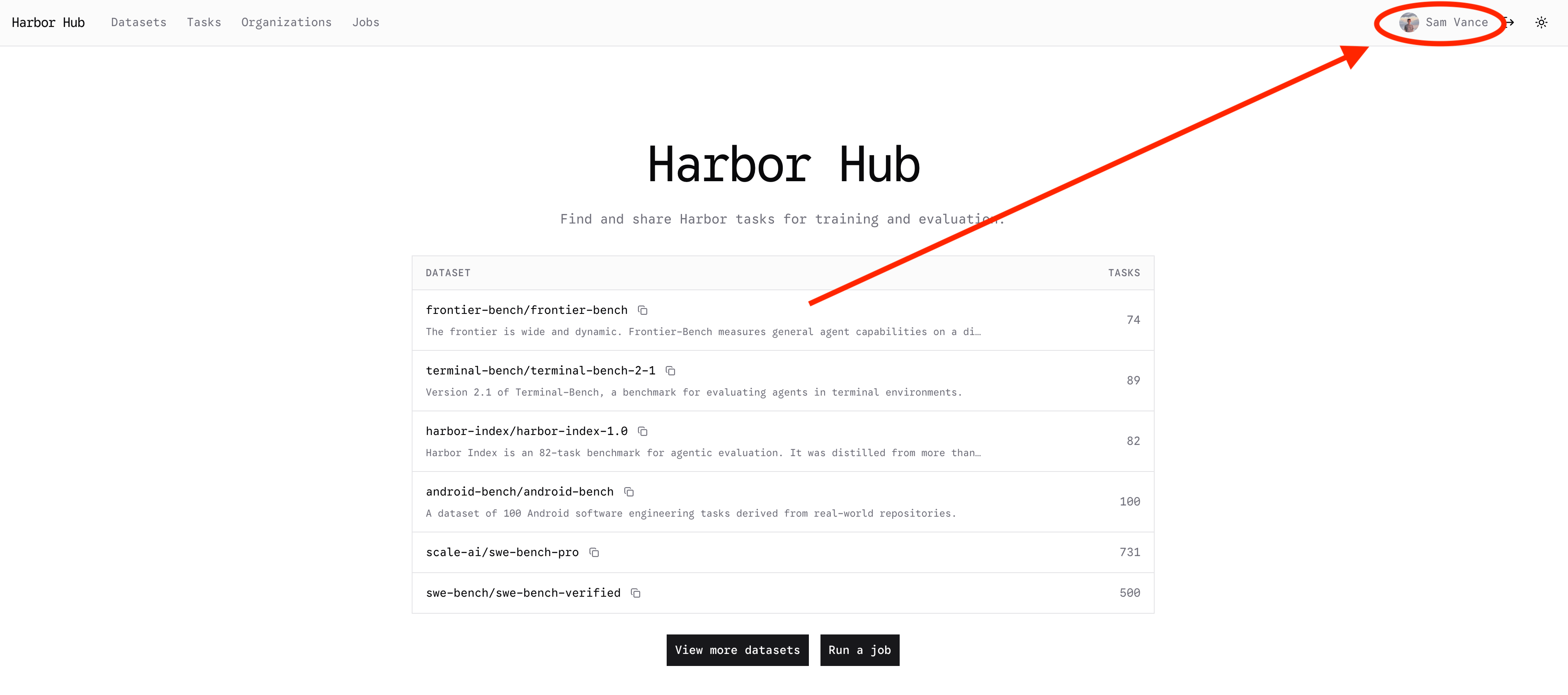
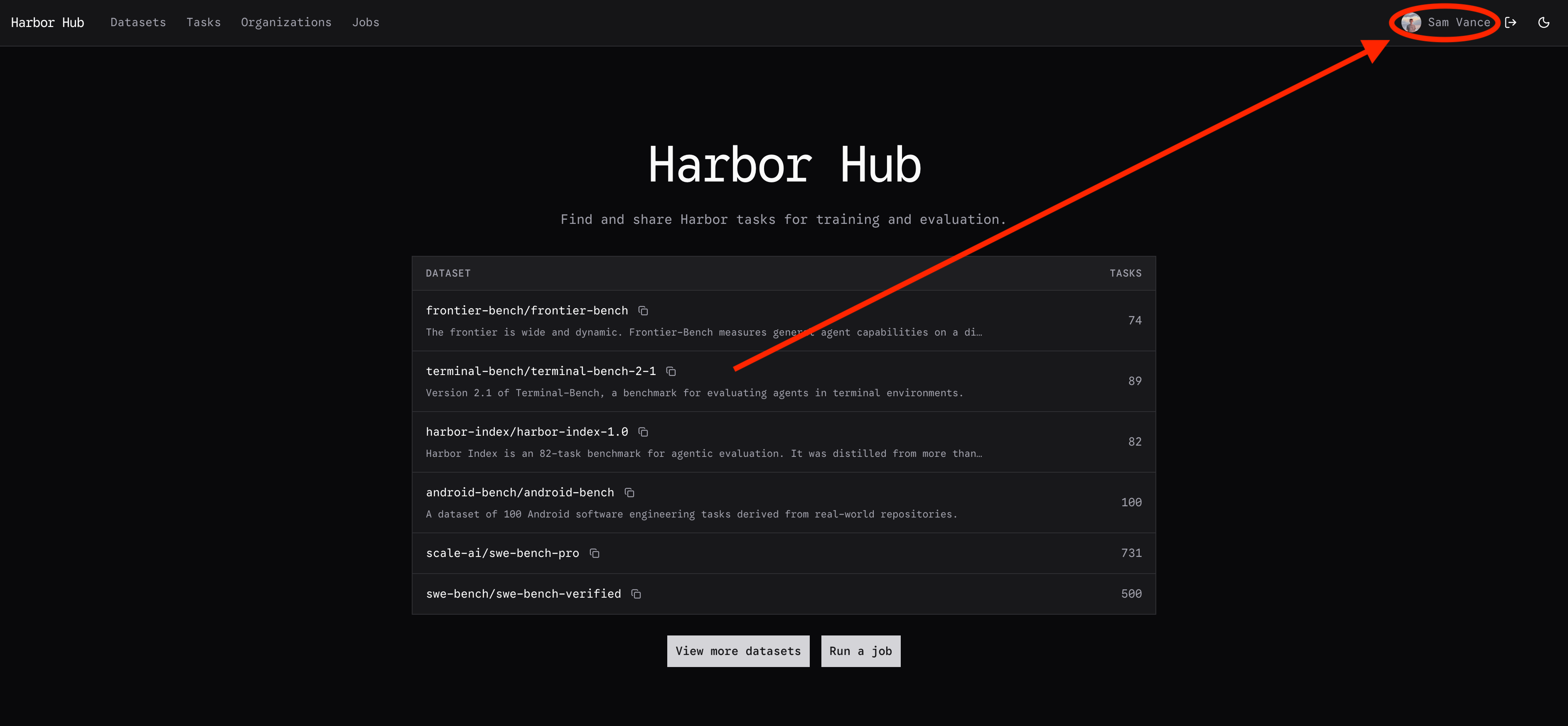
To mint an API key on the web UI, first go to [the Hub](https://hub.harborframework.com).

Click on your profile in the top-right corner:

<div className="dark:hidden">
  <img src="https://mintcdn.com/harborframework/Gs5DwVkRMDXhj7Hx/images/hosted-harbor/hub-home.png?fit=max&auto=format&n=Gs5DwVkRMDXhj7Hx&q=85&s=f86605d6cc0529b7a5f16d339a442abb" alt="The Harbor Hub home page, listing published datasets" width="3782" height="1676" data-path="images/hosted-harbor/hub-home.png" />
</div>

<div className="hidden dark:block">
  <img src="https://mintcdn.com/harborframework/Gs5DwVkRMDXhj7Hx/images/hosted-harbor/hub-home-dark.png?fit=max&auto=format&n=Gs5DwVkRMDXhj7Hx&q=85&s=e8c59363584e936fdf0d36a4a28f89e1" alt="The Harbor Hub home page, listing published datasets" width="3774" height="1748" data-path="images/hosted-harbor/hub-home-dark.png" />
</div>

Then click the **Settings** tab:

<div className="dark:hidden">
  <img src="https://mintcdn.com/harborframework/Gs5DwVkRMDXhj7Hx/images/hosted-harbor/hub-settings.png?fit=max&auto=format&n=Gs5DwVkRMDXhj7Hx&q=85&s=5feff5526a2797eeb0bc015a7e7d1b31" alt="Profile page" width="3784" height="526" data-path="images/hosted-harbor/hub-settings.png" />
</div>

<div className="hidden dark:block">
  <img src="https://mintcdn.com/harborframework/Gs5DwVkRMDXhj7Hx/images/hosted-harbor/hub-settings-dark.png?fit=max&auto=format&n=Gs5DwVkRMDXhj7Hx&q=85&s=f3b090bfa8b35388e1d69761f272452e" alt="Profile page" width="3772" height="520" data-path="images/hosted-harbor/hub-settings-dark.png" />
</div>

Scroll down to the API keys section and click **Create API key**. Give the key a name
and an expiration date. Store this key somewhere safe. It has full access to your Harbor Hub account.
<div className="dark:hidden">
  <img src="https://mintcdn.com/harborframework/Gs5DwVkRMDXhj7Hx/images/hosted-harbor/harbor-api-key.png?fit=max&auto=format&n=Gs5DwVkRMDXhj7Hx&q=85&s=4a72af19e81f2d2b5fac83ac892bd567" alt="Profile page" width="2952" height="452" data-path="images/hosted-harbor/harbor-api-key.png" />
</div>

<div className="hidden dark:block">
  <img src="https://mintcdn.com/harborframework/Gs5DwVkRMDXhj7Hx/images/hosted-harbor/harbor-api-key-dark.png?fit=max&auto=format&n=Gs5DwVkRMDXhj7Hx&q=85&s=2b7f3394dcb5676ae8606581f26faf99" alt="Profile page" width="2988" height="464" data-path="images/hosted-harbor/harbor-api-key-dark.png" />
</div>



